Parallels
Parallels® is een wereldleider in cross-platformoplossingen, waarmee bedrijven en individuen toegang hebben tot en gebruik kunnen maken van de applicaties en bestanden die ze nodig hebben op elk apparaat of besturingssysteem.
Parallels helpt klanten de beste technologie te benutten, of het nu Windows, Linux, macOS, iOS, Android of de cloud is.

Parallels RAS


Vereenvoudig het beheer van virtuele apps en desktops met Parallels Remote Application Server.
Geef je team veilige toegang tot bedrijfsapplicaties, desktops en data via elke browser of elk apparaat. Parallels RAS biedt enterprise-grade externe toegang met flexibele implementatieopties die meegroeien met je organisatie.
Benieuwd hoeveel je zou kunnen besparen?
Licentie calculatorStel hybride en remote medewerkers in staat om efficiënt te werken door een digitale werkruimte te creëren die is afgestemd op de behoeften van jouw organisatie.
Verbinden
Toegang tot virtuele desktops en applicaties vanaf elk apparaat of besturingssysteem via een web- of lokale client, wat een naadloze en intuïtieve gebruikerservaring biedt.
Beveiligd
Verbeter de gegevensbeveiliging en naleving met gecentraliseerde bestandsopslag, encryptie, multi-factor authenticatie en gedetailleerde beleidsregels.
Implementeer
Implementeer virtuele werkruimtes en automatiseer implementaties op belangrijke hypervisors of in de cloud op Microsoft Azure, AVD en AWS.
Geef je teams de tools die ze vandaag de dag echt nodig hebben
BOEK EEN DEMOEindgebruikers kunnen op afstand werken via de Parallels Client (lokaal geïnstalleerd) of Web Client om veilig toegang te krijgen tot de bestanden, applicaties en desktops die ze nodig hebben, zelfs bij het wisselen van netwerken of apparaten.
Houd je werk veilig vanaf elk apparaat dankzij een eenvoudige, intuïtieve gebruikersinterface met zijn eigen specifieke gebaren: veeg tussen applicaties en bestanden, kopieer en plak, sleep en laat vallen, en knijp om in te zoomen. Open Parallels RAS in Coherentie-modus en werk net zo soepel als op je lokale schijf.
Verbeter de productiviteit en geef gebruikers toegang tot alle benodigde applicaties vanuit één enkele werkruimte. Creëer een enkel toegangspunt voor alle apps, ongeacht of ze afkomstig zijn van lokale pc's, on-premises servers, VDI, cloudoplossingen zoals Amazon Workspaces en Azure Virtual Desktop, intranetten, en meer. Vereenvoudig de gebruikerservaring en beheer alle complexiteiten eenvoudig met gestroomlijnde bedieningselementen.
Toegang tot lokale bestanden en mappen, of open lokale applicaties (zoals MS Teams of Zoom) met handige omleidingscontroles. Scan of print naar je lokale printer vanaf elk apparaat met universele afdrukcontroles.

De vrijheid om te werken zoals jij wilt, overal vandaag
Geef uw hybride en remote medewerkers de juiste tools met een eenvoudige digitale werkplek die overal en vanaf elk apparaat toegankelijk is.
BOEK EEN DEMOBeheer uw gegevensbeveiliging met gecentraliseerde instellingen en machtigingen
Geavanceerd toegangsbeheer
Bescherm bedrijfsgegevens met cliëntgroepbeleid in de Parallels RAS-console. Beheer toegang centraal op basis van gebruiker, groep of apparaat.
Multi-factor authenticatie
Vereis dat gebruikers inloggen met twee-factor-authenticatie of smartcard-authenticatie. Parallels RAS kan ook worden geïntegreerd met beveiligingsoplossingen van derden.
Versleutelingsprotocollen
Parallels RAS Secure Gateway ondersteunt SSL en FIPS 140-2 encryptie en helpt organisaties te voldoen aan gegevensverwerkingsregels zoals PCI DSS, HIPAA en GDPR.

Parallels customer stories and case studies
Toonaangevende organisaties in verschillende sectoren gebruiken Parallels-oplossingen om hun IT-afdelingen te virtualiseren, hun cybersecuritymaatregelen te versterken en hun teams op een eenvoudige en intuïtieve manier toegang te geven tot de middelen die ze nodig hebben.
Ontdek onze case studies en zie hoe toonaangevende bedrijven vandaag kiezen voor Parallels om hun digitale transformatie te ondersteunen.
CASE STUDIES
Parallels Browser Isolatie
Parallels Browser Isolation
Veilig browsen eenvoudig gemaakt. Een betrouwbare oplossing voor veiligere webtoegang met geavanceerd beleid en beveiligingscontrole.
Parallels Browser Isolation stelt gebruikers in staat om veilig toegang te krijgen tot webapplicaties, waaronder SaaS-platforms en andere cloudgebaseerde tools, rechtstreeks via hun favoriete webbrowser.
Met twee beschikbare implementatieopties draaien webapplicaties in geïsoleerde browsersessies die een veilige scheiding creëren tussen gebruikersactiviteit en het bedrijfsnetwerk, wat helpt organisaties te beschermen tegen webgebaseerde bedreigingen.
BOEK EEN DEMOGebouwd in de cloud met Zero Trust
Ontworpen met een Zero Trust-benadering, die continu de gebruikersidentiteit en toegang verifieert om sterke en betrouwbare cyberbeveiliging te waarborgen.
Snelle en gemakkelijke onboarding en beheer
Snel te implementeren en eenvoudig te beheren, met een soepele onboardingervaring en een intuïtieve en gebruiksvriendelijke setup.
Naleving en gegevensbescherming
Bevat een krachtig en eenvoudig te beheren beleidsysteem met geavanceerde controles, waarmee organisaties efficiënt beveiliging, naleving en gegevensbescherming kunnen beheren.
Stel Parallels Browser Isolation snel en eenvoudig in in slechts vier eenvoudige stappen, zodat gebruikers binnen vijf minuten een veilige browse-sessie kunnen starten.
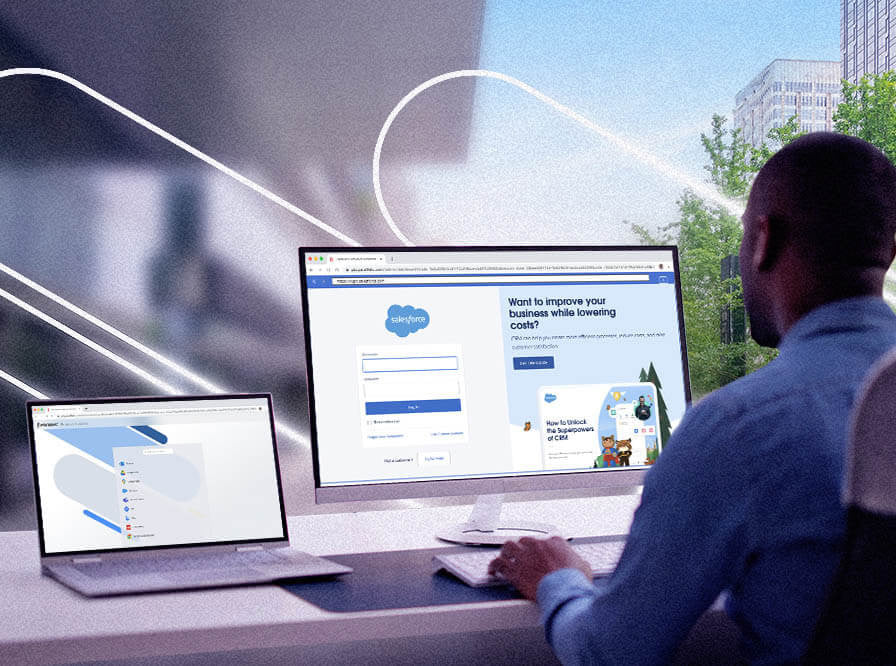
Gebouwd in de cloud met Zero Trust
Gebouwd in de Cloud voor Flexibiliteit en Betrouwbaarheid
Ontwikkeld in de cloud om maximale flexibiliteit en prestaties te leveren, volledig afgestemd op de principes van Zero Trust-beveiliging.
Gemakkelijk te Configureren Zero Trust Beheer Templates
Creëer en pas snel Zero Trust-beleid toe met eenvoudige beheersjablonen die het beveiligingsbeheer efficiënt en consistent maken.
Cybercriminaliteit Bescherming met Air Gap en Zero Trust Beleid
Versterk de bescherming tegen cyberdreigingen door geïsoleerde browsesessies en Zero Trust-beleid die ongeautoriseerde toegang en datalekken voorkomen.
Toegang vanaf Elke Locatie, op Elk Apparaat
Werk veilig vanaf elke locatie en op elk apparaat, waardoor flexibiliteit en productiviteit mogelijk zijn zonder concessies te doen aan de beveiliging.

Snelle en gemakkelijke onboarding en beheer
Vereenvoudigd Beleid Beheer
Maak eenvoudig gedetailleerde beveiligingsbeleid aan en beheer deze om zowel gebruikers toegang als bescherming te optimaliseren.
Intuïtief Webgebaseerd Beheerportaal
Beheer uw omgeving moeiteloos via een gebruiksvriendelijk webportaal dat is ontworpen voor duidelijke controle en overzicht.
Realtime Administratieve Dashboards
Krijg directe inzichten en monitor activiteiten via realtime dashboards die snellere en betere besluitvorming ondersteunen.
Eenvoudige Clientloze Toegang vanuit Elke Webbrowser
Toegang tot diensten rechtstreeks vanuit elke webbrowser zonder extra software of clients te installeren.

Geïntegreerde beveiligingsmaatregelen, controle en inzichten
Isolatie van kwaadaardige webinhoud
Potentieel schadelijke webinhoud is volledig geïsoleerd, wat helpt om eindgebruikersapparaten te beschermen tegen online bedreigingen.
Veilige externe browsercontainers
Websites draaien binnen veilige, geïsoleerde afstandsbedieningsbrowseromgevingen, waardoor bedreigingen worden voorkomen dat ze het apparaat van de gebruiker bereiken.
Malware-isolatie en Phishingbescherming
Bescherm gebruikers tegen malware en phishingpogingen door middel van geavanceerde isolatietechnologie die gevoelige gegevens veilig houdt.
Uitgebreide Inzichten in Gebruikers- en Beheerdersactiviteit
Toegang tot zowel realtime als historische inzichten in gebruikers- en beheerdersactiviteit om zichtbaarheid, controle en beveiligingsbeheer te verbeteren.
Neem contact met ons op
Heb je een vraag? We zijn hier om te helpen!


Wij luisteren graag! Klik op de knop hieronder om direct een afspraak in te plannen en samen jouw ideeën tot leven te brengen.